

Copilot adoption is up. Real usage isn’t. And many teams are still using it like a chatbot, not as part of how they actually work.
That came through pretty clearly in our webinars – Combat Your Time Thief With Copilot Agents.
People had access to Copilot. People could see the value. But when the discussion moved to real workflows, almost no one in the room had built an agent yet. A few attendees also said there was a lot to absorb.
That’s a pretty honest snapshot of where many businesses are right now.
Where Copilot rollouts usually stall
The first few uses of Copilot are easy. Draft an email. Summarise a document. Ask a question in chat.
Those tests are useful, but they don’t change much on their own.
The stall happens when there isn’t a clear process behind the tool. No single use case. No agreed format. No source of truth. No one responsible for turning a one-off prompt into something the team can use every day.
That’s why so many rollouts lose momentum after the first demo. People can see the idea. They just haven’t picked the first workflow to clean up.
What that looked like in our session
The strongest questions in the webinar weren’t broad questions about AI. They were operational questions:
Can an agent follow a template? Can it keep responses consistent? Can it use the right branding and formatting? Can it pull from the right source material?
Those are the useful questions, because that is exactly where Copilot either becomes part of the way your team works or stays as something people tested once and forgot about.
A use case we have already implemented
At Windstil, one of the early problems we ran into was ticket consistency in the service desk.
The technical work was getting done, but the way that work was written back to the client could vary depending on who handled the ticket.
We built an agent around that problem.
The team can type or dictate the rough details of the issue into Copilot, and the agent turns that into a cleaner response. It structures the issue, the resolution and who handled it, then drafts the reply email in a consistent format.
That matters for a few reasons:
- The client gets a clearer update
- The team doesn’t have to think from scratch every time
- The overall standard of communication stays more consistent across the service desk
It is a good example because it isn’t flashy. It solves a real process problem that shows up every day.
Why this kind of use case works
The best early Copilot use cases usually have three things in common.
They happen often. They take more time than they should. And the output varies depending on who does the work.
Ticket replies fit that pattern. So do weekly summaries, meeting prep, internal handover notes and proposal drafts.
The workflow already exists. Copilot just helps sand down the repetitive part of it.
How to identify the right use cases
Once you move past early testing, the next challenge is deciding where to focus.
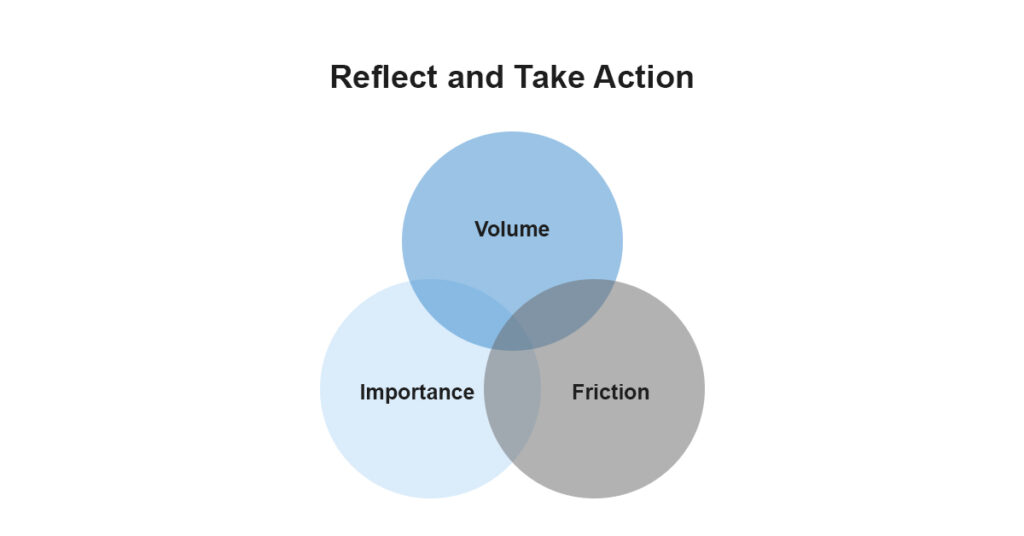
A simple way to prioritise is to look for overlap across three areas:
- Volume – tasks that happen often across the business
- Importance – work that impacts outcomes, decisions, or client experience
- Friction – where processes are slow, manual or inconsistent
Where those three overlap is where Copilot agents will deliver the most value.
Turning ideas into something practical
Most teams don’t struggle with ideas. They struggle with execution.
To move forward:
- Start with what stands out – Identify the use cases people are most likely to actually try, not just the ones that sound impressive.
- Bring your team into it – Validate where effort is currently being lost across different roles and departments.
- Focus on meaningful outcomes – Prioritise use cases that save time, reduce risk or improve consistency across the business.
The other blocker is structure
Copilot can only work from the material it can access and the instructions it is given.
If your templates are all over the place, if your SharePoint structure is messy, or if no one has agreed what a good output actually looks like, the tool will reflect that back at you.
You won’t get a clean process just by dropping AI into a messy one.
Where most businesses get stuck
The real challenge isn’t identifying opportunities – it’s turning them into something repeatable.
That’s the point where most Copilot rollouts stall.
Not sure how to move forward with Copilot agents? We help you identify the right use cases, design practical workflows, and deploy them into your environment. Contact us today to get started.